Auto repair shop management software. The AI drafts. You decide.
Shop management software for independent auto repair shops in Canada. The AI drafts the follow-ups; you approve them.
- ✓ 30 days free
- ✓ No contract
- ✓ No per-user fees
What is Mecano Shop?
Mecano Shop is shop management software for independent auto repair shops in Canada. It puts the workflow board, estimates, inspections, online booking, texts and email in one place, with an AI agent that flags what is stuck and drafts the follow-up for you to approve. Try the sample shop below. No sign-up.
We move your data from a CSV export.
Real screens from a sample shop, with sample data.
This is Mecano Shop. Not a mock-up.
Every repair order in one board, from estimate to paid. Drag a card to the next column. · ALL PLANS
Real screens recorded in a sample shop. Customers, cars and prices are sample data. Plan notes are shown for each screen.
Money left on the table? Start with the follow-ups.
Every shop loses money to follow-ups nobody has time for. The agent drafts them from your own records, and you approve what goes out. The agent, recovery and campaigns are on Pro.
Run a sample shop for five minutes: from the morning dashboard to the last follow-up.
Know your day before the first car rolls in.
What does the Mecano Shop dashboard show?
The dashboard shows today's money, the cars in your shop and the things that cost you money if they sit: estimates waiting on the customer, overdue balances, no-shows and jobs running long. Many numbers link through to the jobs or customers behind them. The time-saved figure is an estimate that uses fixed minutes per completed automated action. It is not a measured number.
It watches the shop. You decide how much it does.
What does the Mecano Shop AI agent do?
The agent flags estimates waiting on the customer, overdue balances, no-shows and jobs running long, then drafts the follow-up. For each task you choose how much it does: off, draft it and you tap send, or send it with a 15-minute window to undo. Estimate and win-back follow-ups always wait for your tap. The agent is on the Pro plan.
Calls answered, even with your hands under a car.
What can the Mecano Shop AI receptionist do?
The AI receptionist answers your shop phone. It can book, move or cancel appointments after confirming with the caller, give repair and estimate status, quote prices from your published menu and give shop hours. Questions about account balances or other dollar amounts go to a person. Each call gets a recording, transcript and short summary, linked to the customer, repair order or appointment when it can be matched. AI phone answering is on Pro and does not run during the free trial.
Texts and email in one inbox. Drafts you edit and send.
How does messaging work in Mecano Shop?
Customer texts and email arrive in one inbox. Draft with AI writes a short reply to the customer's last message. You read it, edit it and send it yourself, and the draft does not look up prices, balances or pickup times. Two-way texting is on Pro and Growth Partner. Starter shops message customers by email.
Bookings come in online. You approve with one tap.
How does online booking work in Mecano Shop?
Customers request a time on your shop booking page. By default each request waits for your approval, and you can switch on auto-approve. Approved bookings appear on a day, week or month calendar. The confirmation goes out by text on Pro and by email on Starter.
Every car, every stage, every dollar in play.
What is the Mecano Shop workflow board?
The workflow board shows every repair order as a card in columns you can rename and reorder. Each column shows its car count and dollar total, and each card shows its promised time and an overdue flag. A column can be set to notify the customer when a job enters it, sending a status update with a link to their tracking page. Texts need Pro. Starter sends email.
Red, yellow, green. Then onto the estimate.
How do digital inspections work in Mecano Shop?
Digital inspections let a technician rate each item Good, Monitor or Needs work, shown as green, yellow and red, and add photos and notes. Selected findings can be pushed to the estimate. Findings that match a service on your menu come in priced, and the rest are added as lines you price by hand. Inspections are included on every plan.
Type "front brakes". Get the whole job.
How do estimates work in Mecano Shop?
You build an estimate from a saved job, which bundles labour and parts, then edit any line before sending it for approval. Part sell prices come from the markup rules you confirm for your shop. Mecano Shop does not show live supplier prices or stock today. Supplier price lookups are in development.
Every customer, every car, every visit.
What does the Mecano Shop customer record hold?
Every customer and vehicle has its full service history. Work the customer declined is saved with its price so you can follow up later. Text and email consent is tracked per customer, and a STOP reply is honoured.
Clocked hours, flagged hours, and who sees what.
How does Mecano Shop track technician hours?
Technicians clock in and out from their phone, and owners see clocked and flagged hours for each tech. Roles control who can see money and settings: Owner, Admin, Member (service-advisor level) and Technician. Pro can export flag-hours payroll to a CSV for ADP or QuickBooks. It is an export, not a payroll system of record.
Which jobs came back, and who did the original work.
How does Mecano Shop detect comebacks?
Mecano Shop flags a vehicle that returns for the same service within 30 days of a finished job, and links it to the original job and technician. An advisor confirms or dismisses each flag, and the comeback rate counts only confirmed comebacks. Comeback detection is on Pro.
Customers follow their car on one link. Fewer calls to ask.
What is the Mecano Shop customer tracking link?
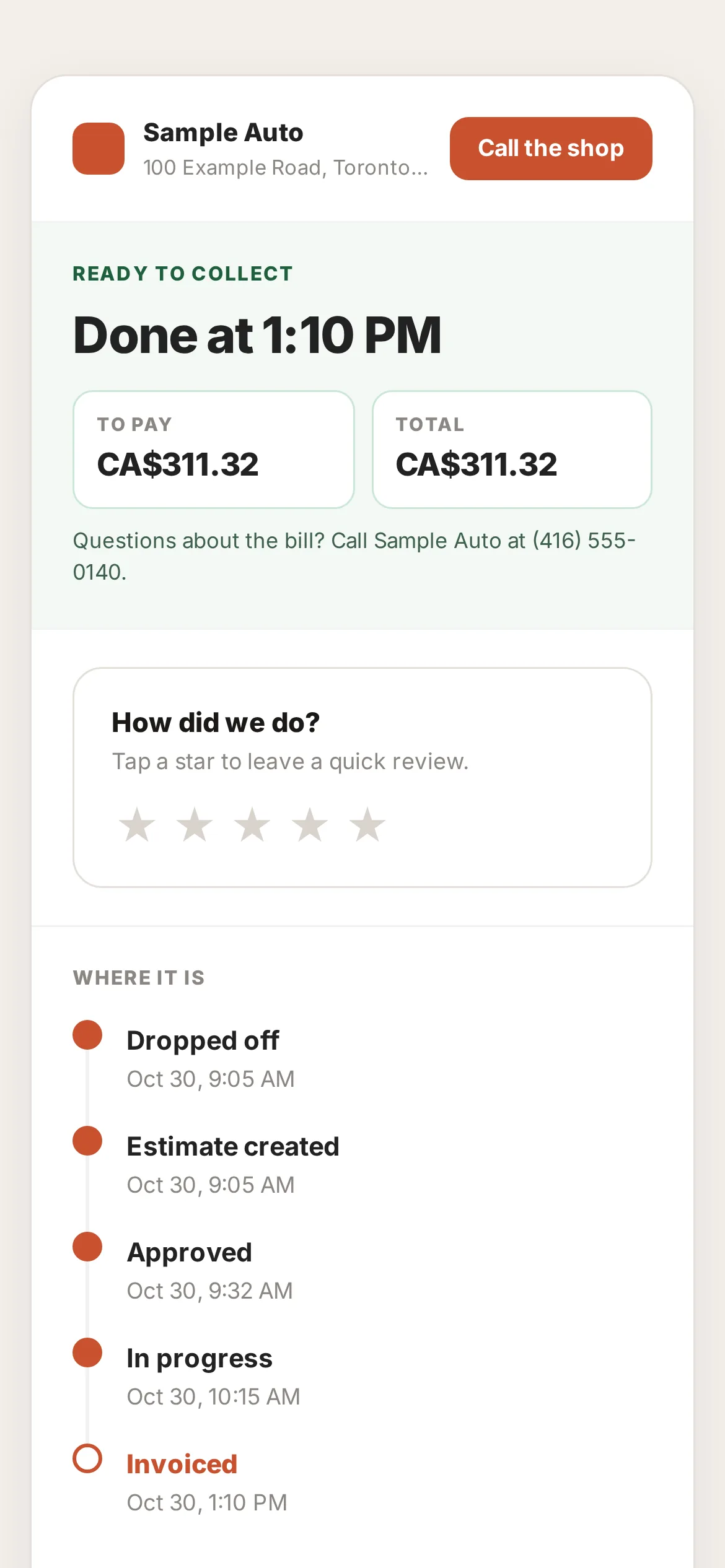
Each visit gets a private tracking link, with no app to download. Customers see live progress, can approve work and can see the invoice. A status update goes out when the car enters a stage you have set to notify, by text on Pro and by email on Starter. Online payment from the same link is rolling out.
Find the money you're owed. Then go get it.
What is the Mecano Shop recovery worklist?
The recovery worklist collects unpaid invoices, declined work and lapsed customers (no visit in 180 days). You can sort it by age or by amount, and each row has a drafted message that you send. Recovery is on Pro. Online payment links are rolling out.
Bring back the customers who stopped coming.
How do campaigns work in Mecano Shop?
You describe who you want to reach, review the exact list, add an offer and send by text or email, only to customers who have agreed to be contacted. Paid visits after the send are counted back to the campaign. Campaigns are on Pro.
A simple website that takes booking requests while you're closed.
Does Mecano Shop include a website?
Mecano Shop builds a simple shop website from your services, hours and booking page, with your logo, colours and a hero photo. Online booking requests land in your schedule, and the site shows your average review rating. A custom domain is on Pro. The new site editor is rolling out.
You approve what the agent sends to your customers.
Switching shop management software? Bring your shop with you.
We move your customers, cars and history for you
Export your data from your current system as a CSV and we move it over. Rows that cannot be read are set aside with a reason for you to review. There is no one-click import from another vendor.
Issued and paid invoices sync to QuickBooks Online
The sync runs one way, from Mecano Shop to QuickBooks Online, and is in beta on the Pro plan. QuickBooks Desktop is not supported.
Refer a shop.
Get CA$200 cash.
For every shop you refer, you get CA$200 in cash after that shop's first paid month. There is no limit on how many shops you can refer.
Shop management software pricing: talk to us.
We do not publish prices. Contact us and we will quote your shop. Every plan starts with 30 days free, has no contract and no per-user fees, with unlimited users.
Starter
The shop loop for one shop.
- Estimates and invoices
- Workflow board
- Online booking
- Digital inspections
- Email messaging and review requests
- Dashboard and reports
- VIN decode
Pro
Everything in Starter, plus texting and the AI agent.
- Everything in Starter
- Two-way texting
- The AI agent (drafts follow-ups)
- Recovery worklist and campaigns
- Comeback detection
- AI phone answering, after the free trial
- QuickBooks Online sync (beta)
- Flag-hours payroll CSV export
Growth Partner
Arranged with our team.
- Everything in Pro
- We draft and send follow-ups for you
- Review reply drafts and Google profile upkeep
- Month-end report and bookkeeper pack
- 5 admin hours a month
On every plan: 30 days free for new subscribers, month-to-month with no contract, unlimited users, migration done for you, and a full data export when you cancel.
Good to know: AI phone answering does not run during the free trial. Online payment links are rolling out. Plan features can change, so confirm on the call.
Last reviewed November 3, 2026 by the Mecano Team.
Questions shop owners ask about shop management software
Last reviewed: by the Mecano Team. Prices and plan features can change, so confirm on the demo call.
You've seen the teasers. Now see your own shop in it.
30 days free. No contract. Cancel any time.